
Explanation:
The solution meets the goal because it correctly uses run.log('AUC', auc) to log the AUC metric, which is the proper method for Hyperdrive to access and optimize hyperparameters based on this metric. The community discussion strongly supports this approach, with the highest upvoted comments (18 and 9 upvotes) emphasizing that Hyperdrive requires metrics to be logged via the run instance (e.g., run.log()) for optimization purposes. Using print() or logging.info() is insufficient as they only output to driver logs or the designer for debugging, not for Hyperdrive metric tracking. The provided code calculates the AUC using roc_auc_score and logs it with the correct key ('AUC'), aligning with Azure ML best practices for hyperparameter tuning.
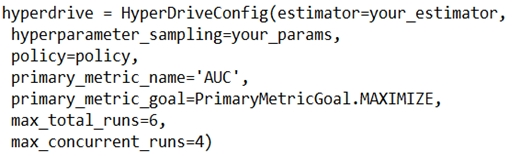
You are using Azure Machine Learning to train a classification model and have configured HyperDrive to optimize the AUC metric. You plan to run a script that trains a random forest model, where the validation data labels are in a variable named y_test and the predicted probabilities are in a variable named y_predicted.
You need to add logging to the script to enable Hyperdrive to optimize hyperparameters for the AUC metric.
The proposed solution is to run the following code:
from sklearn.metrics import roc_auc_score
auc = roc_auc_score(y_test, y_predicted)
run.log('AUC', auc)
from sklearn.metrics import roc_auc_score
auc = roc_auc_score(y_test, y_predicted)
run.log('AUC', auc)
Does this solution meet the goal?
A
Yes
B
No
No comments yet.